
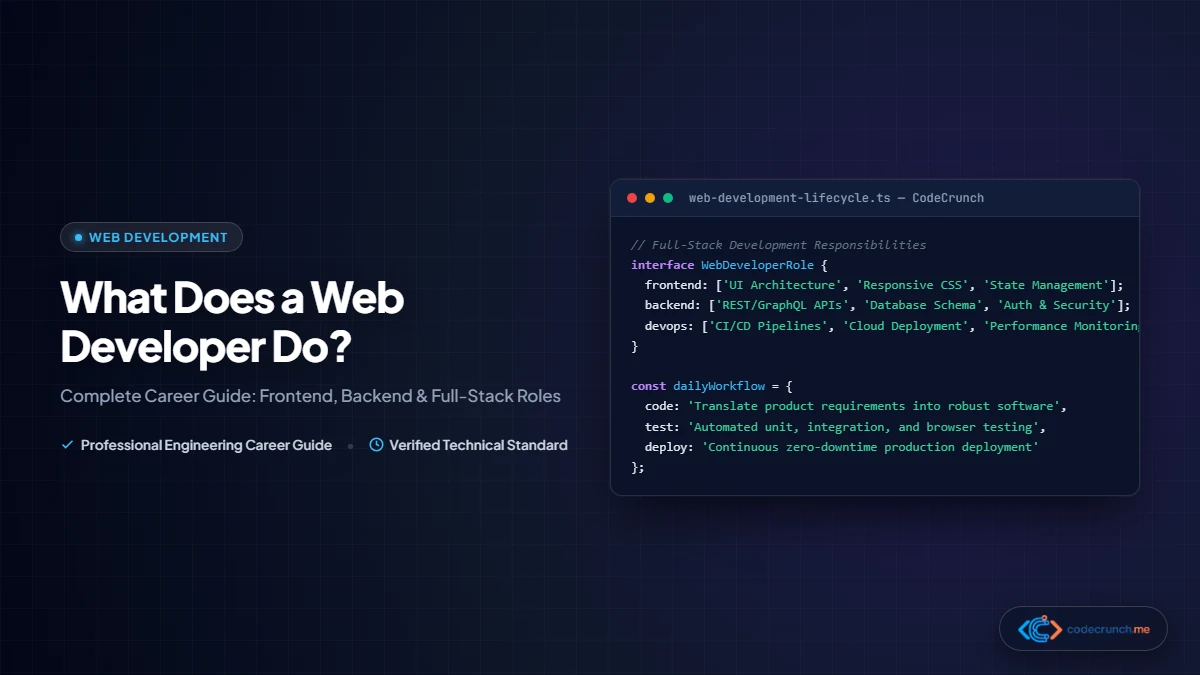
If you have ever clicked a button to buy a product online, streamed a video, or checked the weather on a dashboard, you have interacted with code written by a web developer. But behind the polished interfaces we use every day, what does a web developer do on a typical workday?
In short: a web developer plans, writes, tests, and maintains the software and infrastructure that power websites and web-based applications. From designing responsive mobile layouts to securing database transactions and scaling cloud servers, web developers bridge the gap between creative visual design and robust engineering.
Table of Contents
- What Is a Web Developer? (In Simple Words)
- Core Responsibilities: What Web Developers Do Daily
- The Three Core Specializations: Frontend, Backend, and Full-Stack
- A Day in the Life: Real-World Development Workflow
- The Modern Web Developer Toolset
- Essential Technical and Soft Skills
- Career Outlook, Job Market, and Salary Expectations
- Step-by-Step Roadmap: How to Become a Web Developer in 2026
- Frequently Asked Questions (FAQ)
What Is a Web Developer? (In Simple Words)
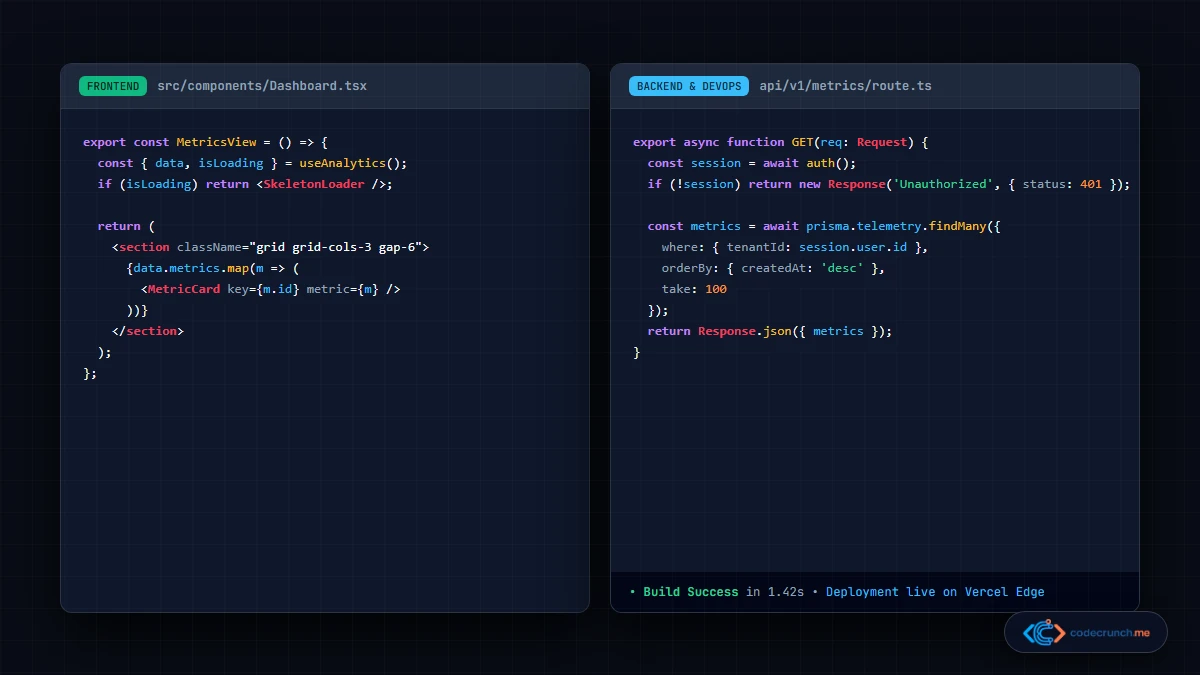
At its core, web development is practical problem-solving using code. While graphic designers create static mockups and product managers define feature requirements, web developers turn those static designs into living, interactive digital applications that execute inside a web browser or on internet-connected servers.
Every interactive element on the internet—such as user authentication forms, dynamic search bars, shopping carts, and live chat widgets—exists because a developer wrote instructions telling computers how to render visual components and handle client-server communication.
Core Responsibilities: What Web Developers Do Daily
While exact tasks vary based on team size and seniority, professional web developers share a universal set of core responsibilities:
- Building Responsive Interfaces: Writing structured HTML, styling with modern CSS, and adding dynamic client-side logic to ensure interfaces render smoothly on mobile phones, tablets, and 4K desktop screens.
- Engineering Server Architecture and APIs: Creating RESTful endpoints and GraphQL queries that allow frontend clients to exchange data securely with server databases.
- Database Design and Data Persistence: Structuring relational (PostgreSQL, MySQL) and non-relational (MongoDB, Redis) databases to safely store user records, payment states, and application data.
- Debugging and Refactoring: Inspecting console errors, network latency bottlenecks, and edge-case exceptions using browser developer tools and diagnostic logs.
- Implementing Web Security Best Practices: Guarding web systems against Cross-Site Scripting (XSS), Cross-Site Request Forgery (CSRF), SQL injection, and unauthorized data access.
- Performance Tuning: Optimizing asset payloads, minifying JavaScript bundles, configuring caching layers, and adhering to Core Web Vitals thresholds.
The Three Core Specializations: Frontend, Backend, and Full-Stack
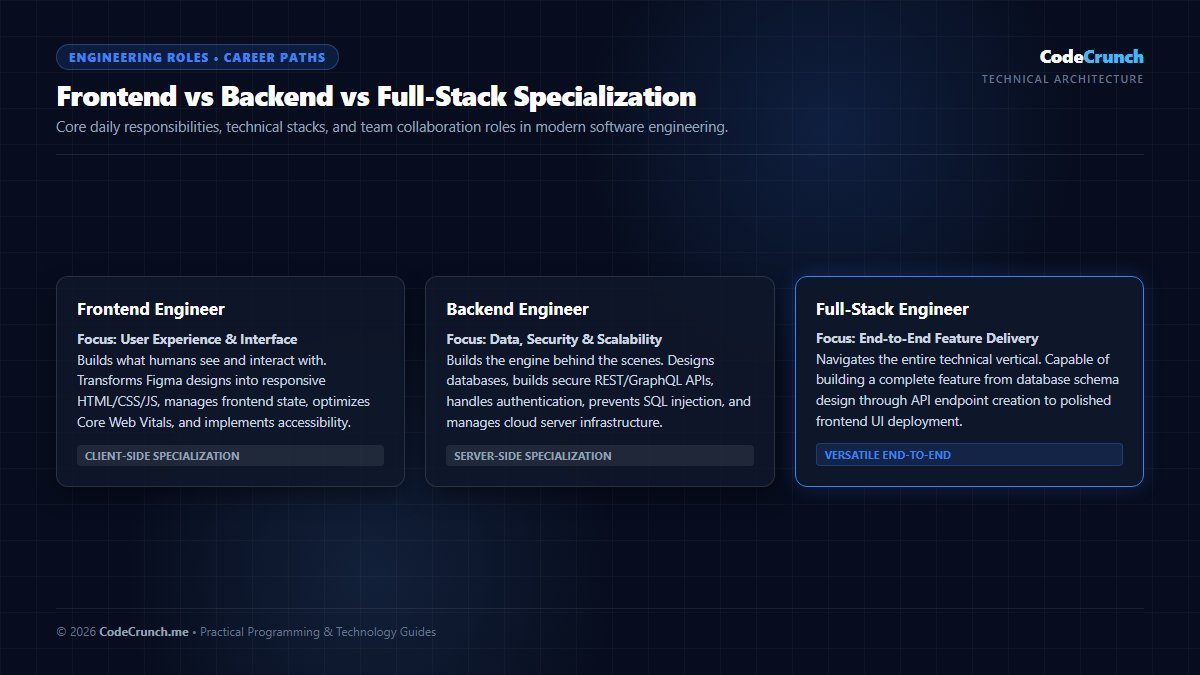
Career Specialization Breakdown: The diagram compares Frontend, Backend, and Full-Stack engineering across daily responsibilities, core programming languages, primary frameworks, and average industry compensation tiers.
Web development is divided into three primary career pathways. Understanding these specializations helps aspiring developers choose the right direction based on their personal interests.
1. Frontend Developers (Client-Side Engineering)
Frontend developers create everything users see, touch, and interact with inside their browser. They translate visual UI designs into responsive, accessible code using three core technologies:
- HTML5: Provides the semantic backbone and structural foundation. Learn more in our beginner guide to HTML tags explained for beginners.
- CSS3: Dictates visual aesthetics, responsive grid/flexbox layouts, animations, and dark mode themes. Check out our comprehensive tutorial on CSS selectors made simple.
- JavaScript (ES6+): Delivers interactivity, form validation, animations, and asynchronous data fetching. See our breakdown of JavaScript variables explained easily.
For a complete breakdown of modern frontend career requirements, read our guide on frontend developer skills for beginners in 2026.
2. Backend Developers (Server-Side Engineering)
Backend developers focus on the invisible engines running on cloud servers. When a user logs in, submits an order, or searches a catalog, the frontend sends an HTTP request to the backend. The backend processes business logic, validates user credentials against a database, and returns a structured JSON response.
Common backend technologies include:
- Server Languages: Node.js (JavaScript/TypeScript), Python, Go, Java, PHP, and C# (.NET).
- Databases: PostgreSQL, MySQL, SQLite, MongoDB, and Redis caching layers.
- Web Protocols: HTTP/HTTPS, REST APIs, WebSockets, and gRPC.
To dive deeper into server architectures and API design, explore our beginner overview of backend basics explained simply.
3. Full-Stack Developers (End-to-End Development)
Full-stack developers possess practical competency across both client-side and server-side layers. While they may still specialize more heavily in one area, they can independently take a project from concept to deployed production application—designing the database schema, creating API endpoints, and assembling the frontend UI.
| Role | Primary Focus | Key Technologies | Typical Project Output |
|---|---|---|---|
| Frontend Developer | User interface, visual styling, client-side responsiveness, accessibility. | HTML5, CSS3, JavaScript, React, Vue, Tailwind CSS. | Interactive dashboards, responsive marketing sites, web apps. |
| Backend Developer | Business logic, database storage, authentication, API security, scalability. | Node.js, Python, PostgreSQL, Redis, Docker, REST APIs. | Secure payment gateways, authentication microservices, database clusters. |
| Full-Stack Developer | End-to-end feature delivery connecting frontend interfaces to cloud backends. | Full JavaScript/TypeScript stack (Next.js, Node, PostgreSQL, Prisma). | Complete SaaS platforms, e-commerce stores, content systems. |
A Day in the Life: Real-World Development Workflow
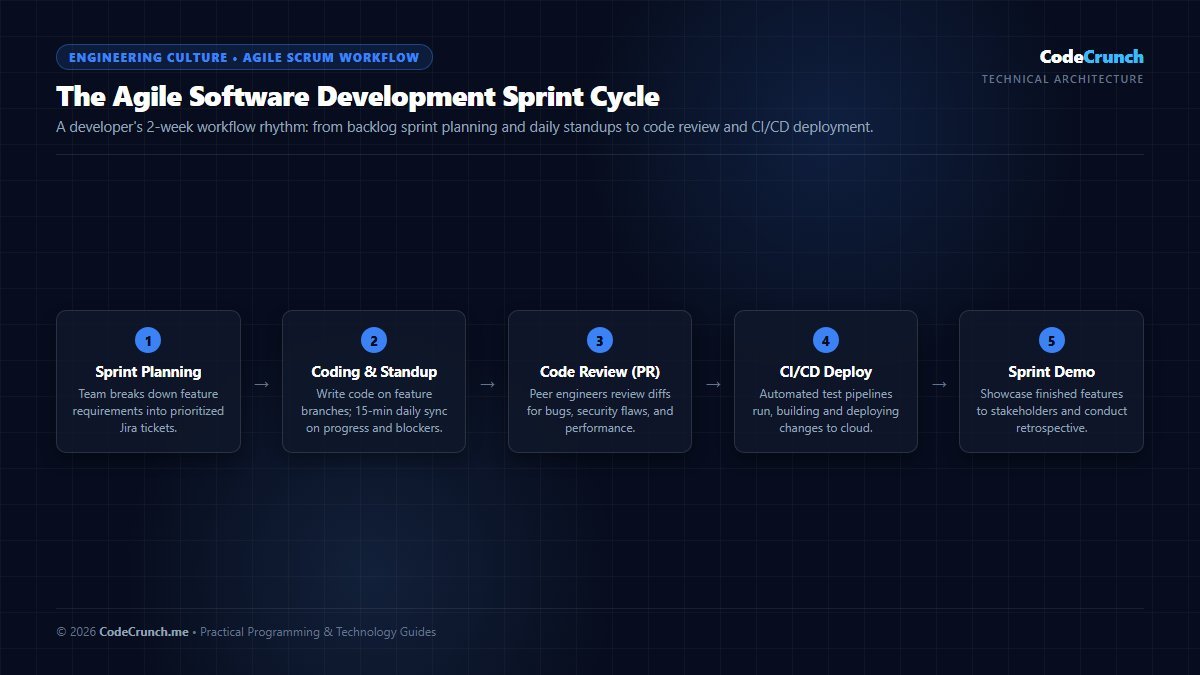
The Agile Sprint Cycle: Professional development teams operate in 2-week agile sprint iterations. The cycle guides feature development from backlog grooming and daily standups through pull request code reviews, automated CI/CD testing, and staging deployment.
Hollywood often portrays developers as lone hackers typing green text in a dark room. In reality, modern software engineering is a collaborative, structured process. Here is what an authentic working day looks like for a web developer:
- Morning Standup (15–30 Minutes): Agile teams sync on three questions: What was completed yesterday? What is the goal today? Are there any technical blockers?
- Feature Implementation and Focused Coding (3–4 Hours): Developers pull a ticket from Jira or Linear, create a dedicated Git feature branch, and write clean, modular code to implement the requested behavior.
- Local Testing and Code Reviews (1–2 Hours): Before merging code, developers run automated test suites and review Pull Requests (PRs) submitted by teammates on GitHub, verifying edge cases and code readability.
- Debugging and Production Triage: Investigating user-reported defects or performance spikes using monitoring tools like Sentry, Datadog, or cloud server logs.
- Continuous Integration & Deployment (CI/CD): Once approved, automated pipelines test, build, and deploy changes directly to staging or production environments.
The Modern Web Developer Toolset
Professional developers rely on a standardized suite of industry tools to write, test, and deploy code efficiently:
- Code Editor: Visual Studio Code (VS Code) is the global industry standard, offering extension ecosystems, integrated terminal tooling, and intelligent code completion.
- Version Control: Git tracks incremental revisions across codebase histories, allowing teams to collaborate safely without overwriting each other’s work.
- Browser Developer Tools: Chrome DevTools and Firefox Developer Edition enable live CSS inspection, JavaScript step-debugging, network payload analysis, and mobile viewport emulation.
- Package Managers: npm, pnpm, and yarn manage third-party open-source libraries and build scripts.
- Web Standards & Documentation: Authoritative references from the MDN Web Docs and W3C Standards serve as daily architectural guides.
Essential Technical and Soft Skills
Succeeding in web development requires a balanced combination of technical acumen and communication capabilities:
Core Technical Competencies
- Semantic Markup and Styling: Constructing clean DOM trees and mobile-first responsive layouts.
- Programming Fundamentals: Understanding algorithmic logic, data structures, conditionals, loops, and object-oriented or functional paradigms. If you are new to these concepts, read our introductory guide on what is programming in simple words.
- Asynchronous Programming: Managing asynchronous API calls using Promises,
async/await, and handling network timeouts gracefully. - Web Security Foundations: Understanding HTTPS certificates, CORS headers, cookie flags (
HttpOnly,SameSite), and input sanitization.
Crucial Soft Skills
- Tenacious Problem Solving: Coding rarely works on the first attempt. Successful engineers approach cryptic errors methodically through deduction rather than guesswork.
- Clear Technical Communication: Explaining architectural tradeoffs clearly to non-technical stakeholders, product designers, and clients.
- Continuous Learning: Web standards, browser APIs, and frameworks evolve rapidly. An enthusiasm for researching new specifications is essential for long-term career growth.
Career Outlook, Job Market, and Salary Expectations
As every business across healthcare, commerce, education, and finance depends on online platforms, the demand for competent web developers remains robust worldwide.
According to data from the U.S. Bureau of Labor Statistics (BLS) and developer compensation benchmarks, employment for web developers and digital designers is projected to grow faster than the average for all occupations over the next decade. Compensation varies significantly based on geographic region, technical specialty, company scale, and cost of living. In North American and Western European markets, industry compensation benchmarks typically report:
- Junior Web Developer (0–2 Years): Industry benchmarks report starting ranges typically between $55,000 and $75,000 annually. Responsibilities focus on ticket execution, bug fixes, and learning team conventions under senior mentorship.
- Mid-Level Web Developer (2–5 Years): Compensation benchmarks commonly range between $80,000 and $115,000 annually. Mid-level developers own features from end to end, conduct peer reviews, and build component libraries.
- Senior Web Developer / Tech Lead (5+ Years): Typical industry ranges extend from $125,000 to $175,000+ annually. Senior engineers lead system architecture, establish engineering standards, and mentor engineering teams.
Step-by-Step Roadmap: How to Become a Web Developer in 2026
If you are excited to enter the industry, you do not need an expensive computer science degree to get started. Follow this structured roadmap:
- Master HTML & CSS First: Build three static multi-page websites without frameworks. Practice flexbox, grid, and media queries. Follow our practical tutorial on how to build a simple website using HTML and CSS.
- Learn Core JavaScript: Focus on vanilla JavaScript fundamentals—variables, functions, DOM manipulation, event listeners, and fetching REST APIs.
- Learn Version Control (Git & GitHub): Commit code frequently, push repositories online, and host your static projects for free on GitHub Pages, Cloudflare Pages, or Netlify.
- Pick One Modern Framework: Once confident in JavaScript, learn React, Vue, or Next.js to understand component-driven architecture and state management.
- Explore Backend Fundamentals: Build a simple Node.js or Python backend that connects to a PostgreSQL database, handles user authentication, and serves JSON data.
- Assemble a Portfolio: Employers care about what you can build. Deploy 3–4 polished, original full-stack projects showcasing responsive design, clean code, and database integration.
For a complete breakdown of zero-cost learning resources, check our comprehensive guide on how to start coding at home for free.
Frequently Asked Questions (FAQ)
Do web developers design websites?
While some developers do both (often referred to as UI/UX developers or design engineers), UI/UX designers usually craft user interfaces and wireframes in Figma, while developers write the underlying production code to make those designs functional.
Is web development difficult to learn?
Web development is challenging initially because it requires learning both conceptual programming logic and practical browser conventions. However, because code changes yield immediate visual feedback in the browser, it is one of the most rewarding and accessible branches of computer programming.
Do I need a Computer Science degree to get hired?
No. Most technology companies prioritize demonstrable skills, practical portfolio projects, and problem-solving ability over formal degrees. Many successful engineers are self-taught or bootcamp graduates.
How long does it take to learn web development?
With focused daily study (15–20 hours per week), most beginners achieve junior-level proficiency in HTML, CSS, JavaScript, and basic frameworks within 6 to 9 months.
Can web developers work remotely?
Yes. Web development is one of the most remote-friendly professions in the world. As long as you have a stable computer, an internet connection, and strong communication skills, you can collaborate with engineering teams across any timezone.