
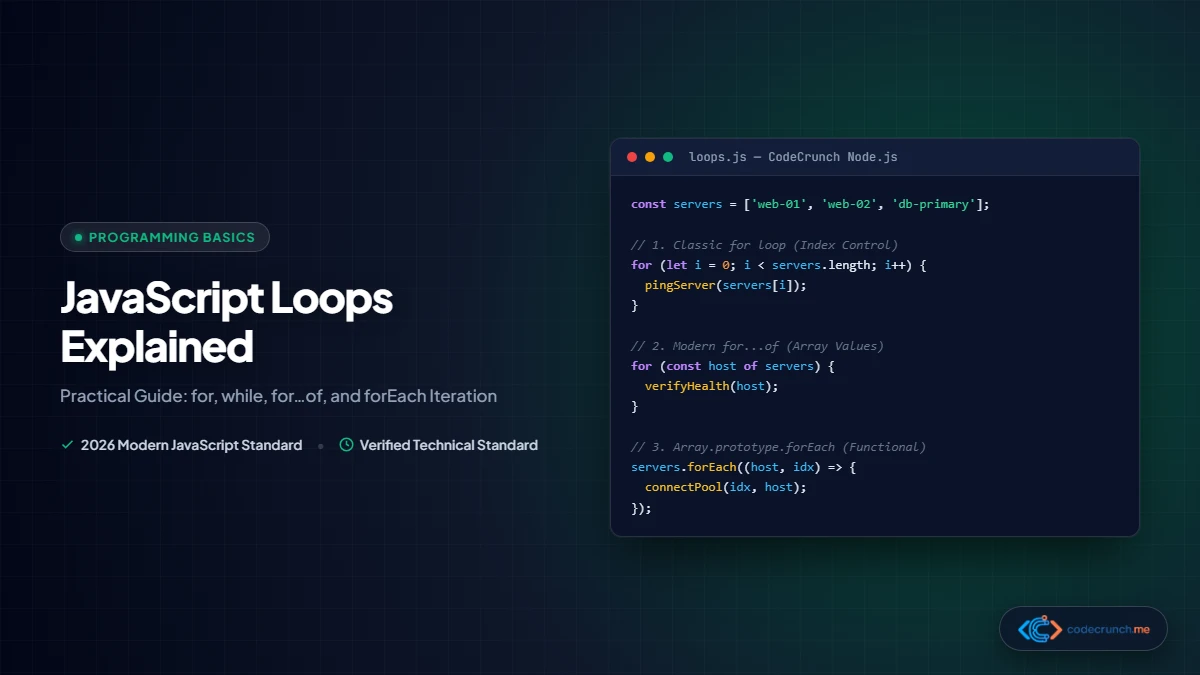
Computers excel at executing repetitive calculations with superhuman speed and zero fatigue. In programming, whenever you need to process lists of customer orders, calculate total shopping cart balances, or render interactive UI elements on a web page, loops are the core construct that make automated repetition possible.
JavaScript provides several distinct looping mechanisms, each tailored to specific data structures and control flow requirements. In this comprehensive guide, we unpack the mechanics of every JavaScript loop, examine practical real-world use cases, and demonstrate how to write clean, idiomatic iteration code.
Envision a factory conveyor belt moving parcels past an automated scanner:
- The Conveyor Belt is your data collection (an Array or list of records).
- Each Parcel represents the individual item being inspected in the current iteration.
- The Scanner is the loop body executing instructions on each item.
- The Stop Switch is your condition or
breakstatement terminating the sequence.

JavaScript Loops At a Glance: Quick Comparison Matrix
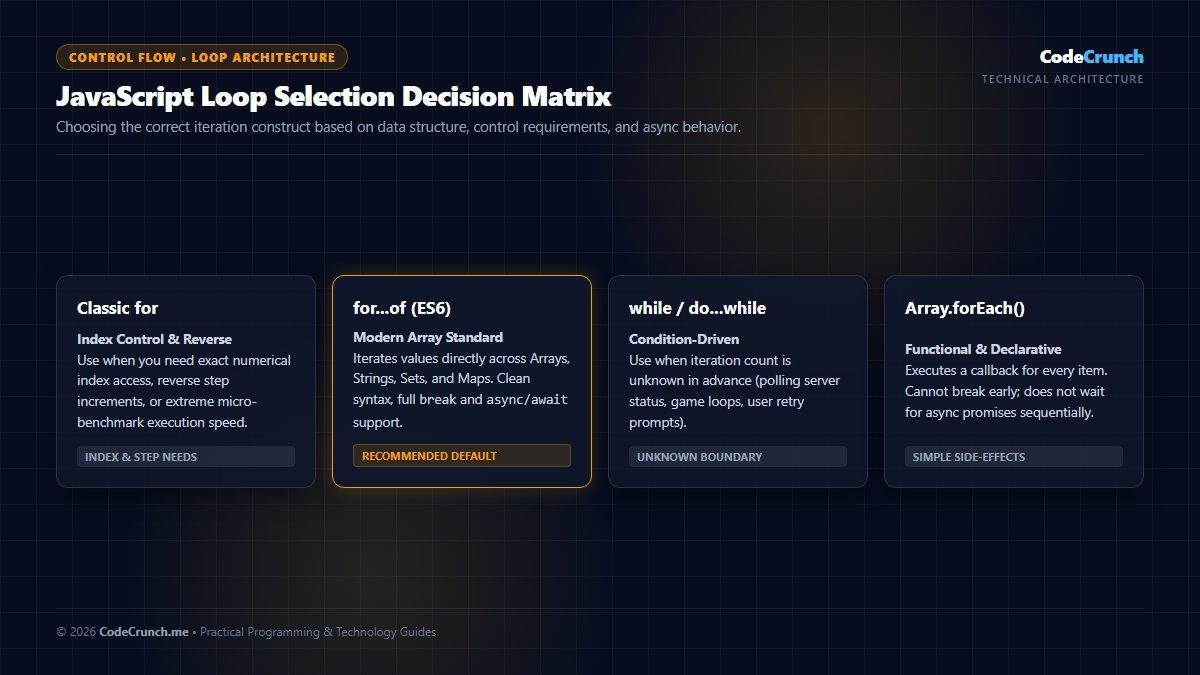
Loop Selection Decision Matrix: Selecting the correct looping construct depends on data type and iteration requirements. Use for...of for iterable arrays and strings, standard for loops when indexed counter access is mandatory, and for...in strictly for iterating non-array object keys.
Use this reference table to immediately choose the right iteration tool for your specific programming scenario:
| Loop Type | Best Data Target | Supports break / continue | Works with async/await | Primary Use Case in 2026 |
|---|---|---|---|---|
Classic for | Arrays, numeric ranges | Yes | Yes | When you need precise index control or reverse iteration. |
while | Dynamic conditions, queues | Yes | Yes | When the number of iterations is unknown in advance. |
do...while | Input prompts, retries | Yes | Yes | When the block must execute at least once before checking. |
for...of (ES6) | Arrays, Strings, Maps, Sets | Yes | Yes | Modern Standard for clean, readable array iteration. |
for...in | Object property keys | Yes | Yes | Iterating over non-array object keys (use with caution). |
Array.forEach() | Arrays | No | No (fires concurrently) | Functional, declarative iteration when no early exit is required. |
1. The Classic for Loop
The traditional for loop is the oldest and most versatile looping construct in computer science. It consists of three expressions separated by semicolons inside parentheses:
for (let i = 0; i < 5; i++) {
  console.log("Current iteration: " + i);
}
// Output:
// Current iteration: 0
// Current iteration: 1
// Current iteration: 2
// Current iteration: 3
// Current iteration: 4
- Initialization (
let i = 0): Executes once before the loop starts. Sets up the counter variable. Always declare the counter withletto ensure block-scoping. - Condition (
i < 5): Evaluated before every iteration. Iftrue, the loop body runs. Iffalse, the loop terminates immediately. - Final Expression (
i++): Evaluated at the end of every pass. Increments or decrements the counter.
Reverse Iteration and Custom Step Sizes
One distinct advantage of the classic for loop is its flexibility in moving through arrays backwards or skipping elements:
const countdown = ["Three", "Two", "One", "Blastoff!"];

// Counting down in reverse
for (let i = countdown.length - 1; i >= 0; i--) {
  console.log(countdown[i]);
}

// Stepping by 2s (Evens only)
for (let i = 0; i <= 10; i += 2) {
  console.log(i); // 0, 2, 4, 6, 8, 10
}
2. while and do...while Loops
While a for loop is ideal when you know the collection size or exact iteration boundary, a while loop is designed for situations where execution depends on a continuous dynamic condition.
The while Loop
let batteryLevel = 100;

while (batteryLevel > 20) {
  console.log(`Device running normally. Battery: ${batteryLevel}%`);
  batteryLevel -= 25; // Decrement state
}
console.log("Battery low! Switching to power save mode.");
If you forget to update the condition variable inside the loop body (e.g., omitting batteryLevel -= 25), the condition remains permanently true. The browser tab will freeze, consume 100% CPU core utilization, and eventually crash with an Out of Memory error.
The do...while Loop
A do...while loop is identical to a while loop with one critical distinction: the code block executes first before the condition is checked. This guarantees that the loop runs at least once regardless of the starting state:
let retryCount = 0;
let connectionSuccessful = false;

do {
  retryCount++;
  console.log(`Attempting server handshake (Attempt ${retryCount})...`);
  // Simulate network connection logic
} while (!connectionSuccessful && retryCount < 3);
3. Modern Standard: The for...of Loop
Introduced in ECMAScript 2015 (ES6), the for...of loop is widely recognized as the cleanest, most expressive loop for iterating over arrays, strings, Sets, and Maps. It extracts the item value directly without requiring manual index tracking:
const techStack = ["JavaScript", "TypeScript", "React", "Node.js"];

for (const tech of techStack) {
  console.log("Mastering " + tech);
}
Accessing Both Index and Value with entries()
If you need both the index number and the value while enjoying the clean syntax of for...of, use JavaScript’s native array.entries() method combined with array destructuring:
const rankings = ["Gold", "Silver", "Bronze"];

for (const [index, medal] of rankings.entries()) {
  console.log(`Rank #${index + 1}: ${medal}`);
}
// Output:
// Rank #1: Gold
// Rank #2: Silver
// Rank #3: Bronze
4. for...in: For Objects, NOT Arrays
The for...in statement iterates over all enumerable string properties of an object. While beginners frequently try using it on arrays, doing so is an anti-pattern.
const developer = {
  name: "Ibrahim",
  role: "Software Architect",
  experienceYears: 8
};

for (const key in developer) {
  console.log(`${key}: ${developer[key]}`);
}
// Output:
// name: Ibrahim
// role: Software Architect
// experienceYears: 8
for...in on Arrays:for...in returns array indices as strings rather than numbers ("0" instead of 0), may traverse properties in an arbitrary order, and will iterate over custom properties attached to the Array prototype. For arrays, always use for...of or classic for.
5. Array.prototype.forEach(): The Functional Method
Arrays provide a built-in method called forEach() that accepts a callback function and executes it for every element in the array:
const prices = [19.99, 49.99, 99.99];

prices.forEach((price, index) => {
  console.log(`Item ${index + 1}: $${price.toFixed(2)}`);
});
The Critical Limitation of forEach
There is one massive architectural limitation you must understand: you cannot break out of a forEach loop early. break and continue statements are syntax errors inside forEach, and using return only skips to the next callback iteration, identical to a continue.
If you are searching an array of 50,000 items and want to stop processing once a match is discovered, using forEach() will wastefully process all 50,000 items. In that scenario, use for...of or Array.find().
Controlling Loop Execution: break vs continue
Fine-grained control over loop flow is achieved using two core jump statements:
const userIDs = [101, 102, 103, 104, 105, 106];

console.log("--- Demonstrating continue ---");
for (const id of userIDs) {
  if (id === 103) {
    console.log("Skipping flagged ID: " + id);
    continue; // Skips remainder of this loop, moves to 104
  }
  console.log("Processing ID: " + id);
}

console.log("--- Demonstrating break ---");
for (const id of userIDs) {
  if (id === 104) {
    console.log("Target user found! Halting loop immediately.");
    break; // Aborts entire loop execution
  }
  console.log("Inspecting ID: " + id);
}
Real-World Pattern: Filtering and Accumulation
In modern web development, loops are commonly used to aggregate data from external APIs. Here is how you can calculate financial metrics cleanly:
const transactions = [
  { id: 1, type: "income", amount: 1500 },
  { id: 2, type: "expense", amount: 450 },
  { id: 3, type: "income", amount: 800 },
  { id: 4, type: "expense", amount: 120 }
];

let netSavings = 0;

for (const tx of transactions) {
  if (tx.type === "income") {
    netSavings += tx.amount;
  } else if (tx.type === "expense") {
    netSavings -= tx.amount;
  }
}

console.log("Net Account Savings: $" + netSavings); // Output: $1730
Frequently Asked Questions (FAQ)
Which loop is fastest in JavaScript?
In micro-benchmarks involving millions of iterations, the classic for loop and traditional while loop are marginally faster because they avoid function call overhead. However, in modern V8 and SpiderMonkey JavaScript engines, JIT (Just-In-Time) compiler optimizations make the performance difference between for, for...of, and forEach completely negligible for standard web applications. Prioritize readability and correctness over premature micro-optimizations.
Can I use async/await inside a forEach loop?
No. forEach expects a synchronous callback and does not wait for Promises to resolve. If you use await inside forEach, all iterations will fire concurrently and the parent function will proceed without waiting for your requests to complete. To execute asynchronous tasks sequentially, always use a standard for...of loop.
What is the difference between for...in and for...of?
The simplest mnemonic is: for...in is for inspecting keys (object properties), while for...of is for iterating values (iterable collections like arrays, strings, and sets).
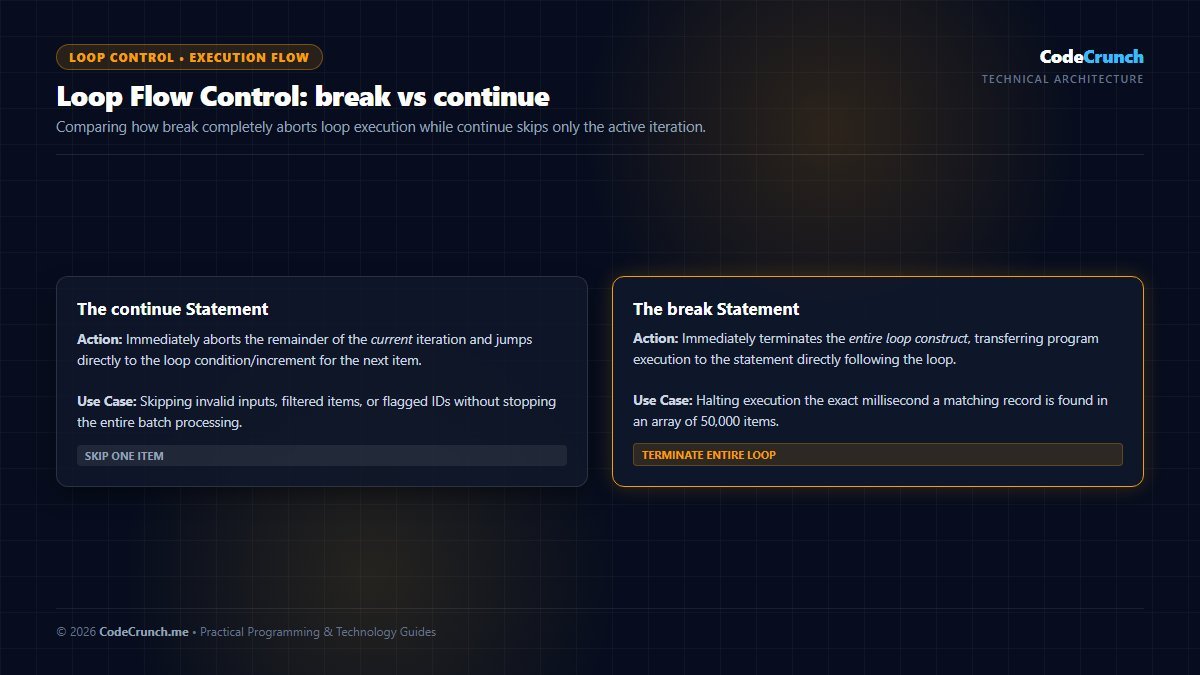
Execution Flow Control: As visualized above, continue immediately skips the remaining statements of the current iteration and jumps to the next cycle, whereas break terminates the loop entirely and transfers control to the next statement outside the loop block.
Asynchronous Loops: Handling async/await in Modern Iteration
One of the most frequent traps encountered by junior JavaScript developers is attempting to use Array.prototype.forEach() with asynchronous async/await functions. Because forEach does not await promises, all iterations trigger concurrently without waiting for network responses:
// THE BUG: forEach does NOT wait for async operations!
const userIds = [101, 102, 103];
userIds.forEach(async (id) => {
  const user = await fetchUserData(id); // Runs out of order!
  console.log(user);
});
console.log("Done!"); // Prints BEFORE fetchUserData completes!
To execute asynchronous operations sequentially or wait for all promises to resolve properly, use the modern for...of loop or Promise.all():
// THE FIX: Sequential async execution with for...of
for (const id of userIds) {
  const user = await fetchUserData(id); // Waits for completion before next iteration!
  console.log(user);
}
console.log("All users loaded sequentially!");
For official iteration grammar and execution semantics, consult MDN Loops and Iteration Guide and ECMAScript Iteration Statements.
Deepen Your Web Development Foundations
Mastering loops and control flow is a major milestone in your programming education. To see how loops, variables, and functions assemble to build production web applications, explore our beginner guides on how to start coding and follow our curated frontend developer roadmap.