
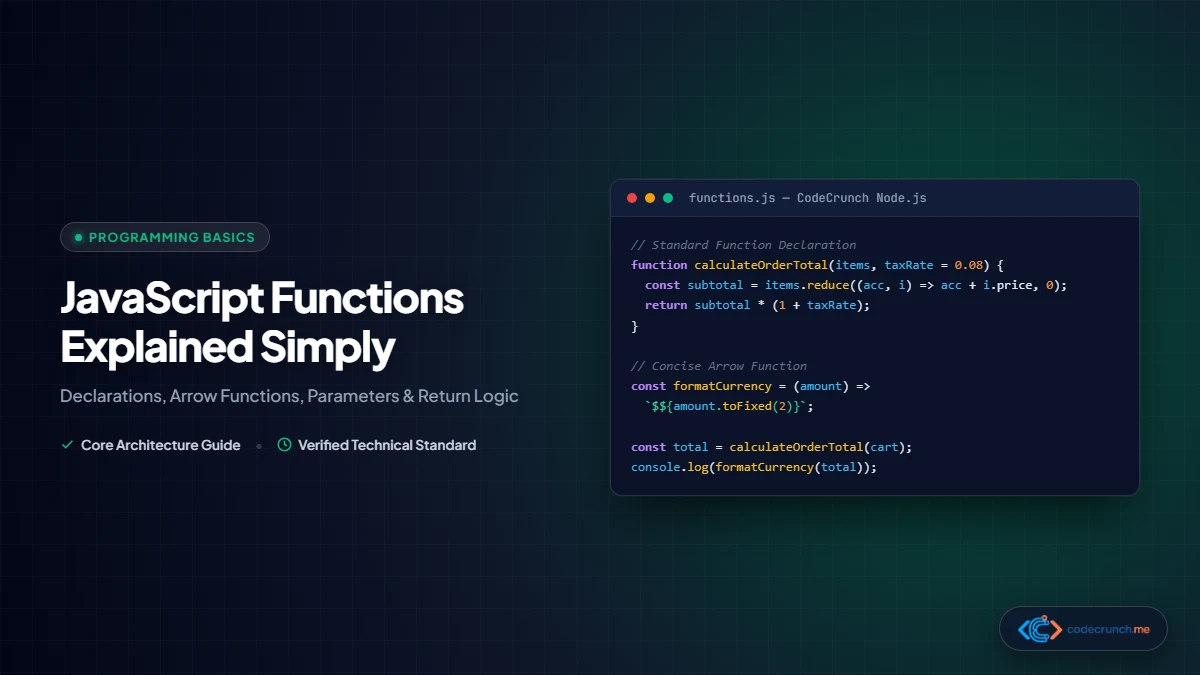
If variables are the nouns of programming that store information, functions are the verbs—the fundamental building blocks that execute actions, transform data, and make software interactive. Without functions, software development would consist of endlessly copying and pasting duplicate lines of code across thousands of files.
Whether you are taking your first steps in learning web development or leveling up your programming fundamentals, this guide breaks down JavaScript functions into intuitive mental models, practical code patterns, and real-world examples.
Think of a JavaScript function as a kitchen smoothie blender:
- Inputs (Parameters): The fruit and yogurt you drop into the blender container.
- Function Body: The sharp blades and motor spinning according to a specific recipe.
- Output (Return Value): The finished, delicious smoothie poured into a glass for you to consume or store.

The Anatomy of a Basic JavaScript Function

Function Syntax and Parameter Lifecycle: The diagram illustrates the function keyword, identifier naming, input parameter list, function execution block, and returned value lifecycle. Understanding how values are passed into functions and returned to call sites is foundational to asynchronous programming and modular code design.
In JavaScript, a classic function declaration consists of four core components:
// 1. Declaration
function calculateTotal(price, taxRate) {
  const tax = price * taxRate;
  const total = price + tax;
  return total;
}

// 2. Invocation (Calling the function)
const finalPrice = calculateTotal(100, 0.08);
console.log(finalPrice); // Output: 108
- The
functionKeyword: Signals to the JavaScript engine that you are defining a reusable block of logic. - Function Name (
calculateTotal): An identifier following camelCase naming conventions that describes what the function accomplishes. - Parameters (
price, taxRate): Placeholder variables listed inside parentheses that represent incoming values. - Function Body (between
{ ... }): The sequence of instructions that execute whenever the function is invoked. - The
returnKeyword: Halts function execution and hands the processed output value back to whoever called it.
Parameters vs. Arguments: What is the Difference?
These two terms are frequently conflated, but the distinction is clean and vital:
- Parameters: The abstract placeholders declared in the function definition (e.g.,
priceandtaxRate). - Arguments: The concrete, actual values passed into the function when you invoke it (e.g.,
100and0.08).
The 3 Ways to Write Functions in Modern JavaScript
As JavaScript evolved through the ECMAScript specifications, different syntaxes were introduced to address varying design patterns and architectural needs.
| Syntax Style | Example Syntax | Hoisting Behavior | When to Use in 2026 |
|---|---|---|---|
| Function Declaration | function add(a, b) { return a + b; } | Fully hoisted (can be called before definition) | Ideal for top-level utility functions and standalone helper libraries. |
| Function Expression | const add = function(a, b) { return a + b; }; | Variable hoisted as uninitialized (TDZ) | Useful when passing functions conditionally or assigning dynamically. |
| Arrow Function (ES6) | const add = (a, b) => a + b; | Variable hoisted as uninitialized (TDZ) | Modern industry standard for callbacks, array iterations, and compact logic. |
1. Function Declarations and Hoisting
Function declarations are unique because the JavaScript engine hoists their complete definitions to the top of the execution scope during the compilation phase. This means you can call a function declaration in your code before the line where it is written:
// This works perfectly due to hoisting!
sendNotification("Welcome to CodeCrunch!");

function sendNotification(message) {
  console.log("Alert: " + message);
}
2. Function Expressions
In JavaScript, functions are first-class citizens, meaning they can be treated like any other value: assigned to variables, stored in arrays, or passed into other functions. When you assign an anonymous function to a variable, it is called a function expression:
const multiply = function(x, y) {
  return x * y;
};

console.log(multiply(4, 5)); // Output: 20
Unlike declarations, function expressions cannot be invoked prior to their assignment; doing so throws a ReferenceError.
3. Modern Arrow Functions (ES6)
Introduced in modern JavaScript, arrow functions provide a concise syntax and lexical this binding. They have become the predominant style in contemporary front-end codebases, React components, and Node.js APIs.
// Standard arrow function
const divide = (a, b) => {
  return a / b;
};

// Concise one-line arrow function (Implicit Return)
// If the body is a single expression, omit braces and the "return" keyword!
const square = num => num * num;

console.log(square(6)); // Output: 36
{ } in an arrow function, you must include an explicit return statement if you wish to return a value. Forgetting this will return undefined.Advanced Parameter Handling: Defaults and Rest Operators
Modern JavaScript eliminates the need for manual argument checking through clean parameter enhancements.
1. Default Parameters
You can supply fallback values directly in the parameter signature. If an argument is omitted or passed as undefined, the default kicks in automatically:
function createUserProfile(username, role = "Reader", theme = "dark") {
  return {
    username: username,
    role: role,
    theme: theme,
    createdAt: new Date().toISOString()
  };
}

console.log(createUserProfile("Ibrahim"));
// Output: { username: "Ibrahim", role: "Reader", theme: "dark", ... }
2. Rest Parameters (...args)
When you do not know in advance how many arguments a user might pass, the rest parameter syntax packages an indefinite number of arguments into a clean JavaScript Array:
function calculateCartTotal(discountRate, ...itemPrices) {
  // itemPrices is a native Array containing all subsequent arguments
  const subtotal = itemPrices.reduce((acc, curr) => acc + curr, 0);
  return subtotal * (1 - discountRate);
}

console.log(calculateCartTotal(0.1, 15, 25, 40, 10)); // Output: 81
The Critical Role of the return Keyword
One of the most persistent hurdles for beginners is distinguishing between printing something to the console and returning a value from a function.
console.log() is NOT return!console.log() merely prints a debugging message to your browser terminal for humans to read; it vanishes immediately and gives nothing back to your program. return hands data back to your program so other functions and variables can use it.
Consider this telling example:
// Flawed implementation:
function addBad(a, b) {
  console.log(a + b); // Prints 10, but returns nothing!
}

// Correct implementation:
function addGood(a, b) {
  return a + b; // Hands the number 10 back
}

const resultBad = addBad(4, 6);
const resultGood = addGood(4, 6);

console.log(resultBad + 5); // Output: NaN (because undefined + 5 = NaN!)
console.log(resultGood + 5); // Output: 15
Guard Clauses and Early Returns
The return statement immediately stops function execution. Professional engineers leverage this behavior to write guard clauses, handling invalid inputs or edge cases upfront and keeping the main logic flat and readable without deeply nested if/else statements:
function processPayment(user, amount) {
  // 1. Guard clauses
  if (!user.isLoggedIn) {
    return { success: false, reason: "Authentication required" };
  }
  if (amount <= 0) {
    return { success: false, reason: "Invalid transaction amount" };
  }
  if (user.balance < amount) {
    return { success: false, reason: "Insufficient funds" };
  }

  // 2. Main happy path execution
  user.balance -= amount;
  return { success: true, remainingBalance: user.balance };
}
Scope and Closures Demystified

Scope Chains and Closure Architecture: A closure is created when an inner function retains access to the variables of its outer lexical environment, even after the parent function has completed execution and been removed from the call stack.
Deep-Dive: Functional Programming Patterns with Higher-Order Functions
In JavaScript, functions are first-class citizens, meaning they can be assigned to variables, passed as arguments to other functions, and returned from functions. This enables powerful functional programming paradigms:
// Higher-Order Function Example: Array Transformations
const productPrices = [19.99, 49.50, 9.99, 120.00, 5.00];

// 1. Filter: Extract items over $20
const expensiveItems = productPrices.filter(price => price > 20);

// 2. Map: Apply a 10% discount tax calculation
const discountedPrices = expensiveItems.map(price => Number((price * 0.9).toFixed(2)));

// 3. Reduce: Calculate grand total
const grandTotal = discountedPrices.reduce((accumulator, current) => accumulator + current, 0);

console.log("Grand Total:", grandTotal); // Output: 152.55
Mastering array iteration methods like map, filter, and reduce eliminates repetitive for loops and produces cleaner, declarative code. For comprehensive technical reference, review MDN Web Docs: Functions Guide and the official ECMAScript Function Objects Specification.
Scope defines where your variables are accessible within your code. In our in-depth companion guide on JavaScript variables let, const, and var, we explored block and function scoping rules.
Lexical Scope
A function has access to variables defined inside its own body (local scope), as well as variables defined in any parent outer scope (global or enclosing function scope). However, an outer scope can never peer inside a child function’s local scope:
const globalSiteName = "CodeCrunch";

function buildDashboard() {
  const dashboardId = "db-409";
  console.log(globalSiteName); // Allowed: parent scope accessible!
}

buildDashboard();
// console.log(dashboardId); // ERROR: ReferenceError (dashboardId is private to buildDashboard)
What is a Closure?
A closure is created when an inner function remembers and maintains access to its outer function’s variables, even after the outer function has finished executing. Closures enable private state and data encapsulation:
function createCounter(startingValue = 0) {
  let count = startingValue; // Private variable

  return {
    increment: () => ++count,
    decrement: () => --count,
    getValue: () => count
  };
}

const counterA = createCounter(10);
console.log(counterA.increment()); // Output: 11
console.log(counterA.increment()); // Output: 12
console.log(counterA.getValue());  // Output: 12

// counterA.count is undefined because the variable is privately scoped!
Top 4 Common Function Mistakes to Avoid
- Forgetting Invocation Parentheses: Writing
const status = checkServer;assigns the function blueprint itself rather than executing it. To run it, always use parentheses:const status = checkServer();. - Unintentional Global Variables: Omitting
const,let, orvarwhen declaring a variable inside a function accidentally leaks it onto the globalwindowobject. - Modifying External State (Impure Functions): Whenever possible, aim for pure functions—functions that take inputs, return an output, and produce no side effects (like altering global arrays or modifying DOM elements unexpectedly).
- Overly Long Functions: If a function exceeds 30 to 40 lines or accomplishes three different tasks, split it into smaller, single-responsibility functions that are easy to test.
Frequently Asked Questions (FAQ)
What is the difference between an arrow function and a normal function?
Arrow functions offer a more concise syntax and lack their own this, arguments, and super bindings. Instead, they capture the this value of the enclosing lexical scope. Traditional function declarations possess their own dynamic this context based on how they are called, making them preferable for object methods and constructor functions.
What does it mean that functions are “first-class citizens” in JavaScript?
It means functions are treated as first-class values. You can assign functions to variables, store them in objects or arrays, pass them as arguments to other functions (known as callbacks), and return them from functions (known as higher-order functions).
What is an IIFE (Immediately Invoked Function Expression)?
An IIFE is a function that runs the instant it is defined: (function() { ... })();. In older versions of JavaScript, IIFEs were widely used to create local scopes and prevent variable collisions. In modern ES6+ codebases with native ES modules, IIFEs are rarely necessary.
Next Steps in Your Coding Journey
Functions are the engine that drives every real-world application. As you continue building web software, explore our comprehensive guides on how to start coding as a complete beginner and the complete frontend developer roadmap to see how functions power modern web frameworks like React and Vue.